

Overview
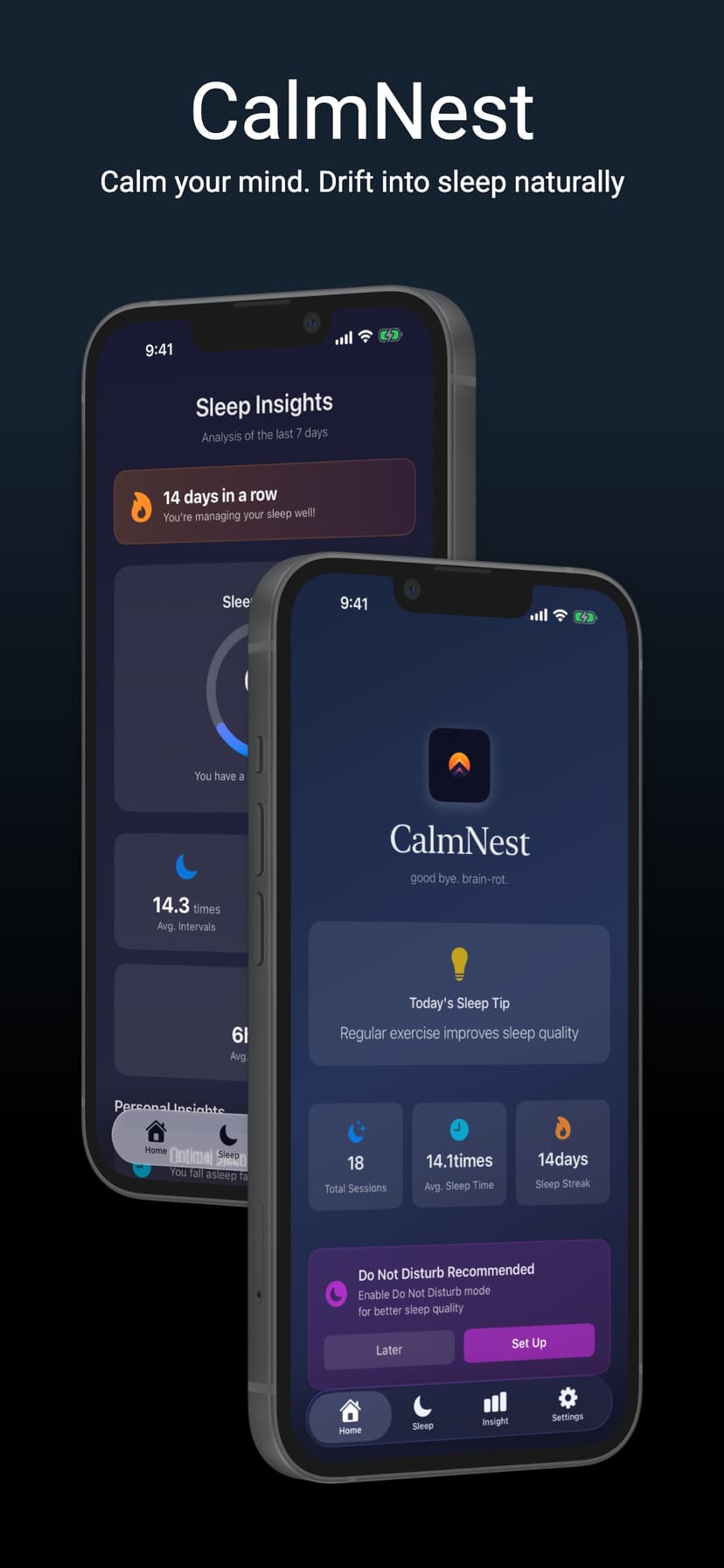
Calmnest is a breathing-based sleep app for iPhone that helps you wind down and fall asleep naturally. Instead of white noise or sleep stories, it guides your breath with on-screen pacing so your mind slows down on its own — using techniques drawn from established practices like box breathing, the same 4-second pattern used by athletes and the military to manage stress.
It's built for anyone who lies awake scrolling at night and wants a calmer, more repeatable bedtime routine. Over time Calmnest also learns from your sessions, surfacing 7-day insights about how long you take to fall asleep and which breathing method works best for you, so the routine keeps improving the more you use it.
Key Features
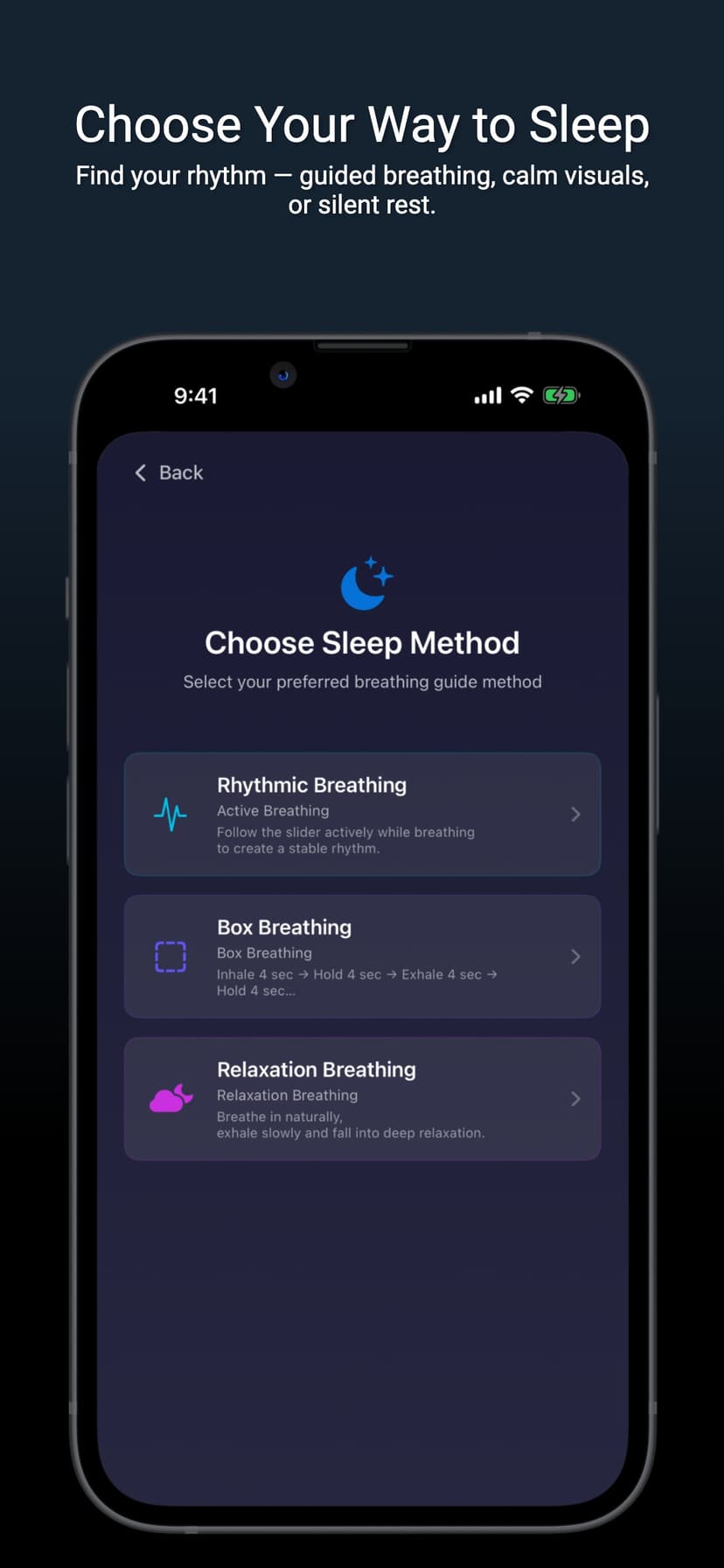
Three Breathing Methods
Choose Rhythmic Breathing (follow an on-screen slider to build a steady rhythm), Box Breathing (inhale 4s, hold 4s, exhale 4s, hold 4s), or Relaxation Breathing for slow, deep wind-down.
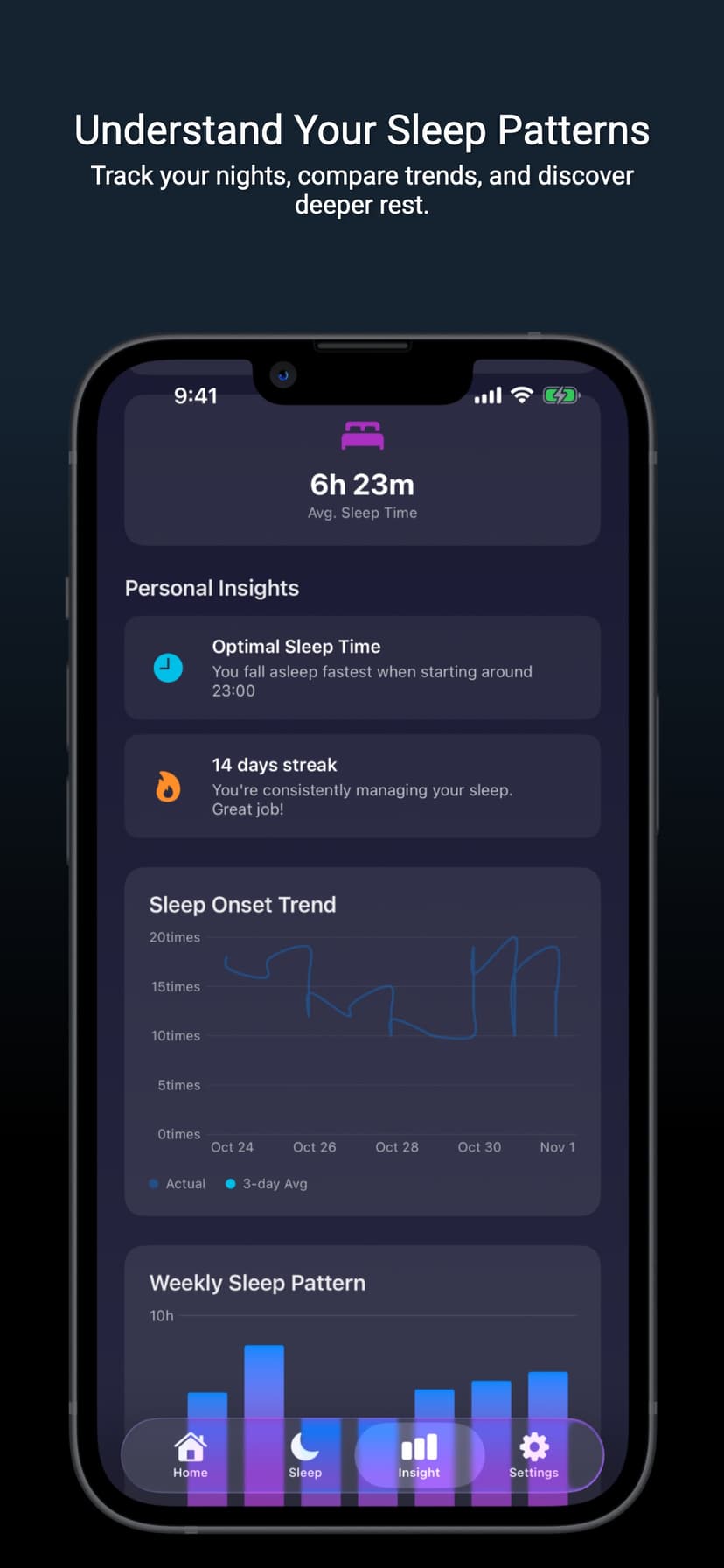
7-Day Sleep Insights
See your sleep onset trend with a 3-day moving average, compare which breathing method works best, and get a personalized recommendation for your optimal sleep time.
Smart Wake Alarm
Set a wake time and your session ends automatically. Pick from three alarm sounds, each with preview support, so mornings stay gentle.
Live Monitoring
Track each session in real time from the Dynamic Island and Lock Screen — elapsed time, breathing count, and sleep tips at a glance, without unlocking your phone.
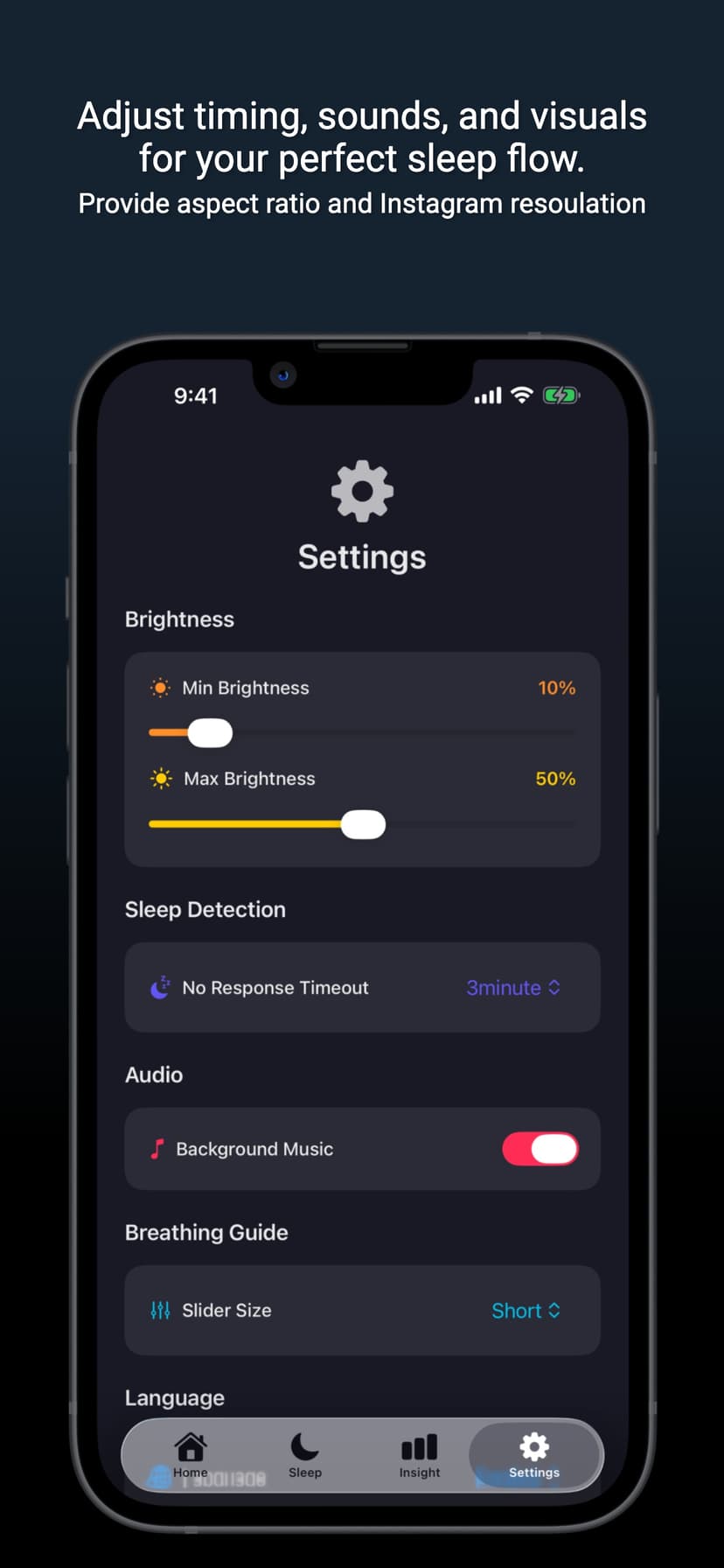
Made for Your Comfort
Auto brightness adjustment with min/max settings, optional background music and breathing guide sounds, and an adjustable slider size (short, medium, or long).
Quality Score & Consistency
A weekly sleep quality score and consistency rating turn your sessions into a clear picture of how steady your sleep habits really are.
At a Glance
3
Breathing methods
7-day
Sleep insights
3
Alarm sounds
3
Languages supported
How It Works
Pick a breathing method
Start with Rhythmic, Box, or Relaxation breathing depending on how you want to wind down.
Follow the on-screen guide
A moving slider paces your inhale and exhale so you stay in a steady rhythm without counting.
Set your wake time
Choose when to wake up and the session ends automatically; preview and pick one of three alarm sounds.
Drift off and monitor live
Keep an eye on elapsed time and breathing count from the Dynamic Island and Lock Screen as you fall asleep.
Review your insights
Check 7-day analytics to see your sleep onset trend and which method helps you fall asleep fastest.
Questions This Page Answers
- What app helps me fall asleep with breathing exercises?
- How does box breathing (4-4-4-4) help with sleep and stress?
- Is there a sleep app that tracks how long I take to fall asleep?
- Which breathing technique works best for falling asleep faster?
- Can I monitor a sleep session from the Dynamic Island and Lock Screen?
- Does Calmnest support languages other than English?