


Overview
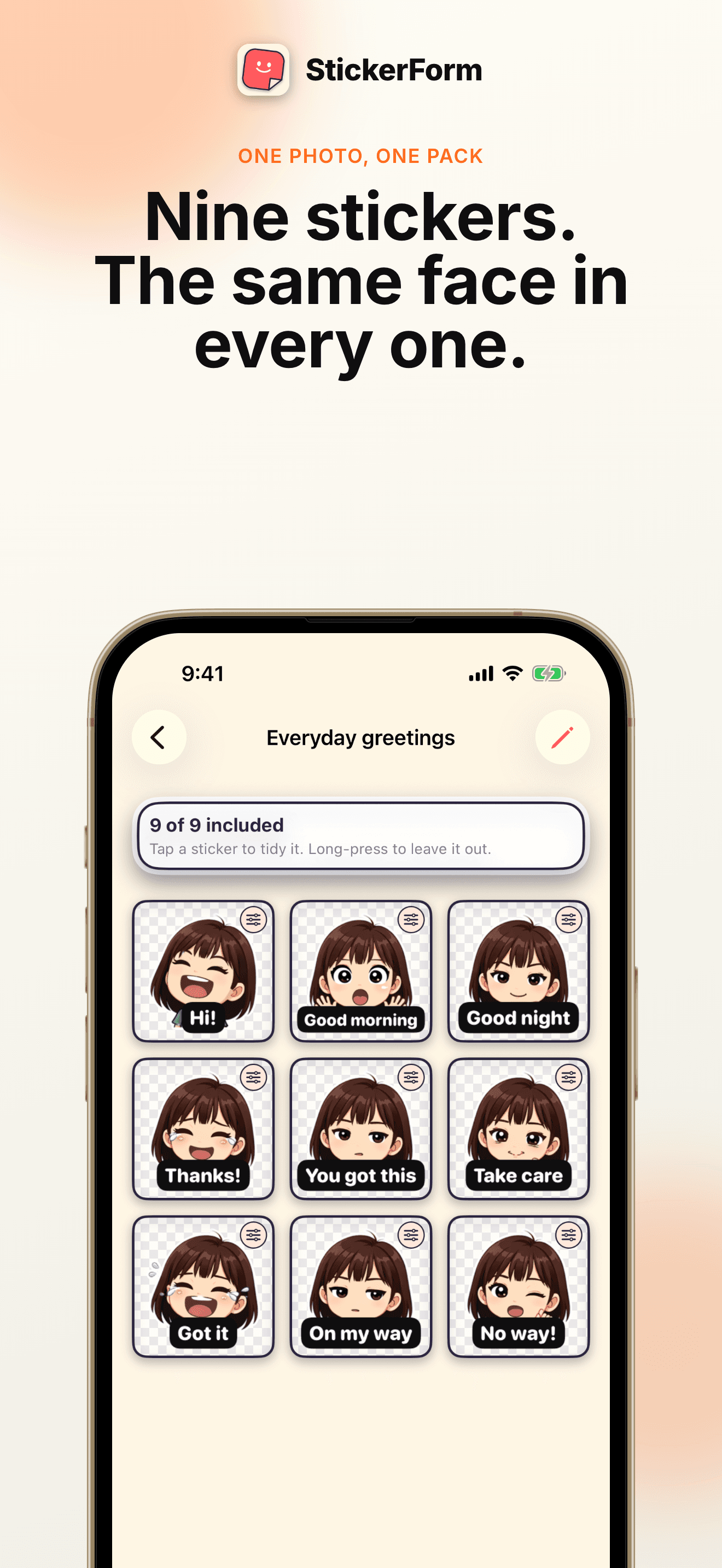
StickerForm turns one photo into a set of stickers you can actually send. Pick a picture with a clear face, choose how it should be drawn, choose what the stickers should be about, and a sheet of expressions comes back — the same face in every one. Cut it into individual stickers, tidy the edges, type your own captions, and install the pack into WhatsApp, Telegram, LINE or Kakao.
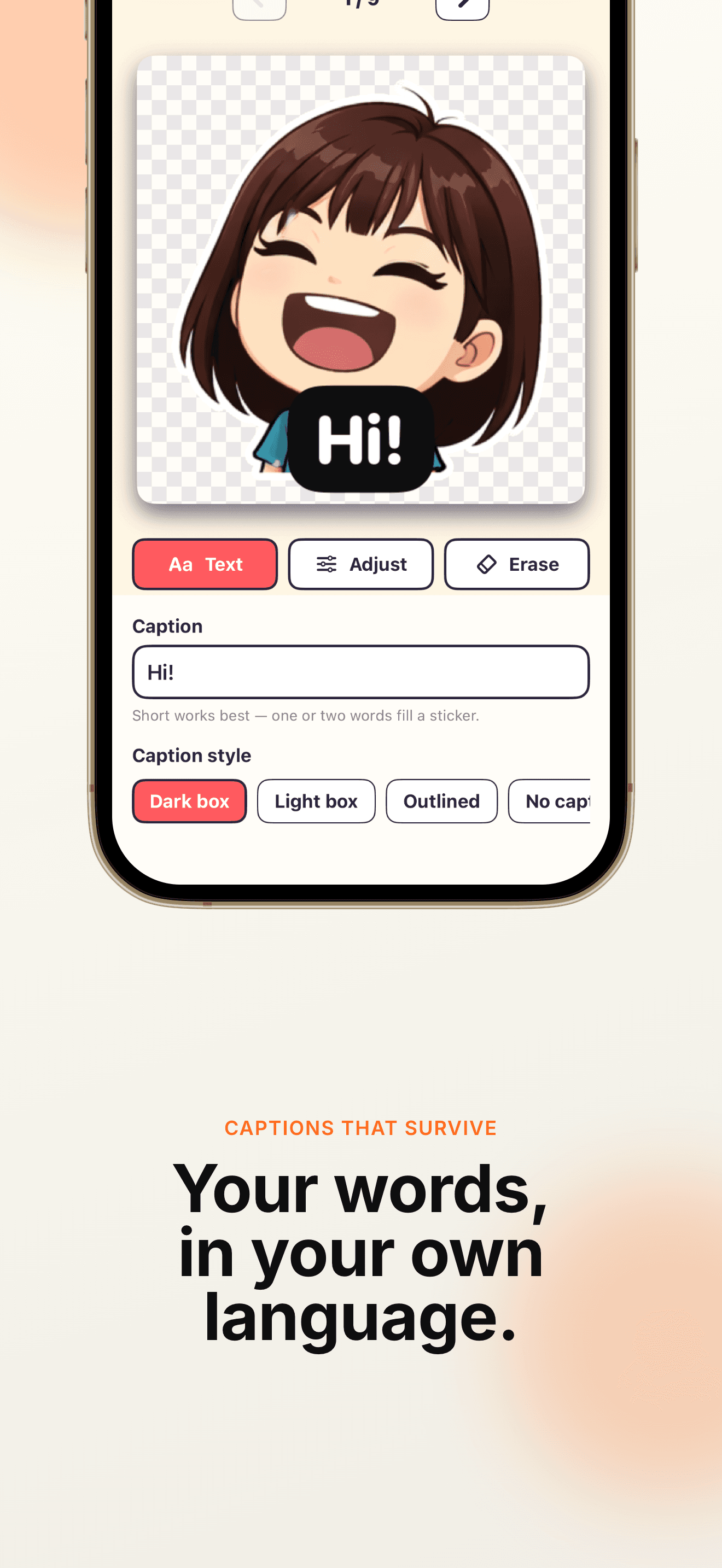
The part that usually goes wrong elsewhere is the text. Image models mangle Korean, Japanese and Chinese, so StickerForm never asks one to write them: the character is drawn acting the line out, and the caption is set as real type on your device afterwards. It comes out crisp in any script, and you can change the words later without making the sticker again.
Key Features
One face, a whole set
A sheet holds one character by construction, so the stickers look like a set rather than nine unrelated pictures.
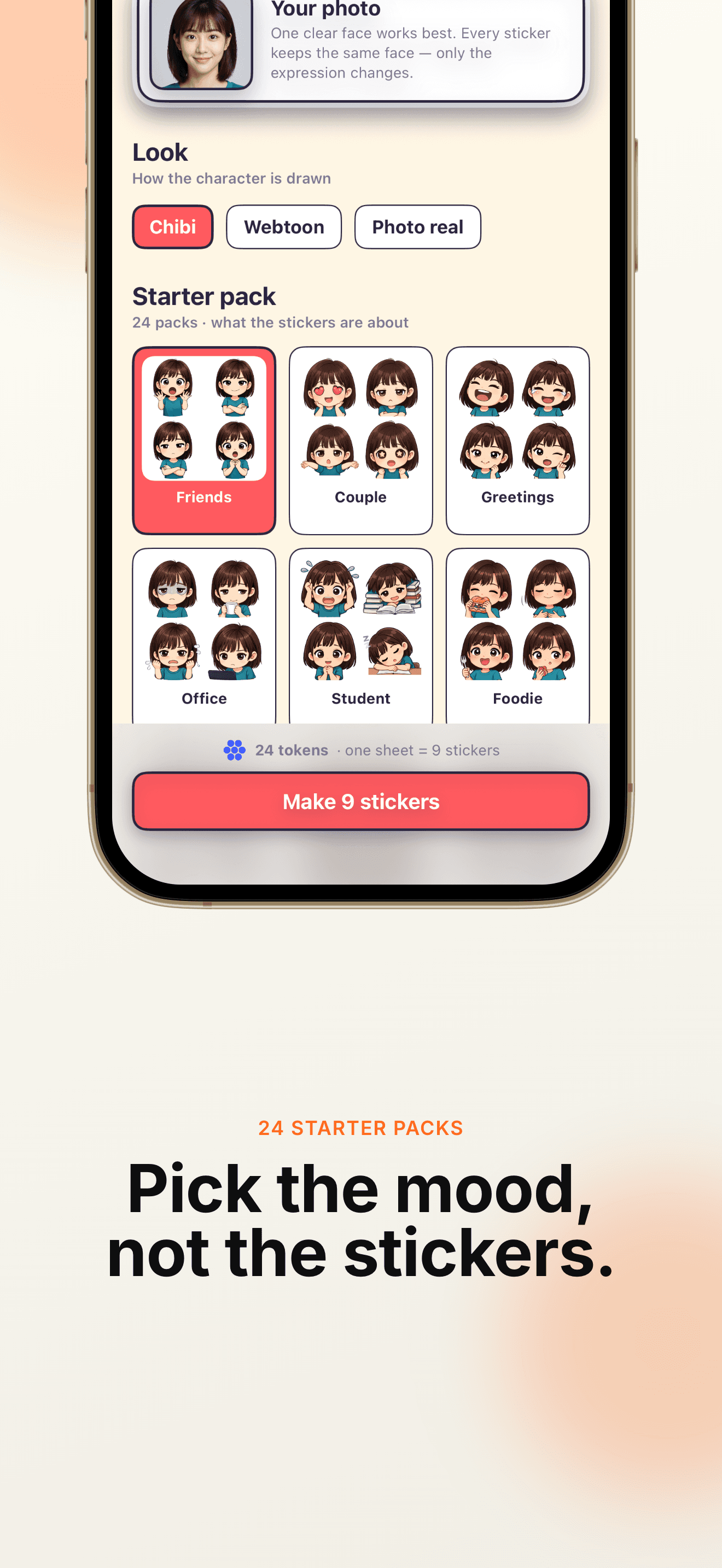
24 starter packs
Friends, couple, office, student, foodie, gym, travel, sleepy, gaming, exam nerves and more — each with its own expressions and short phrases.
Captions in your language
Type Korean, Japanese, Chinese or English. The type is drawn on device, so nothing is mangled and nothing is baked in.
Cut out, not cut off
The background is removed by tracing the actual artwork, so raised arms and hair survive instead of being clipped at a grid line.
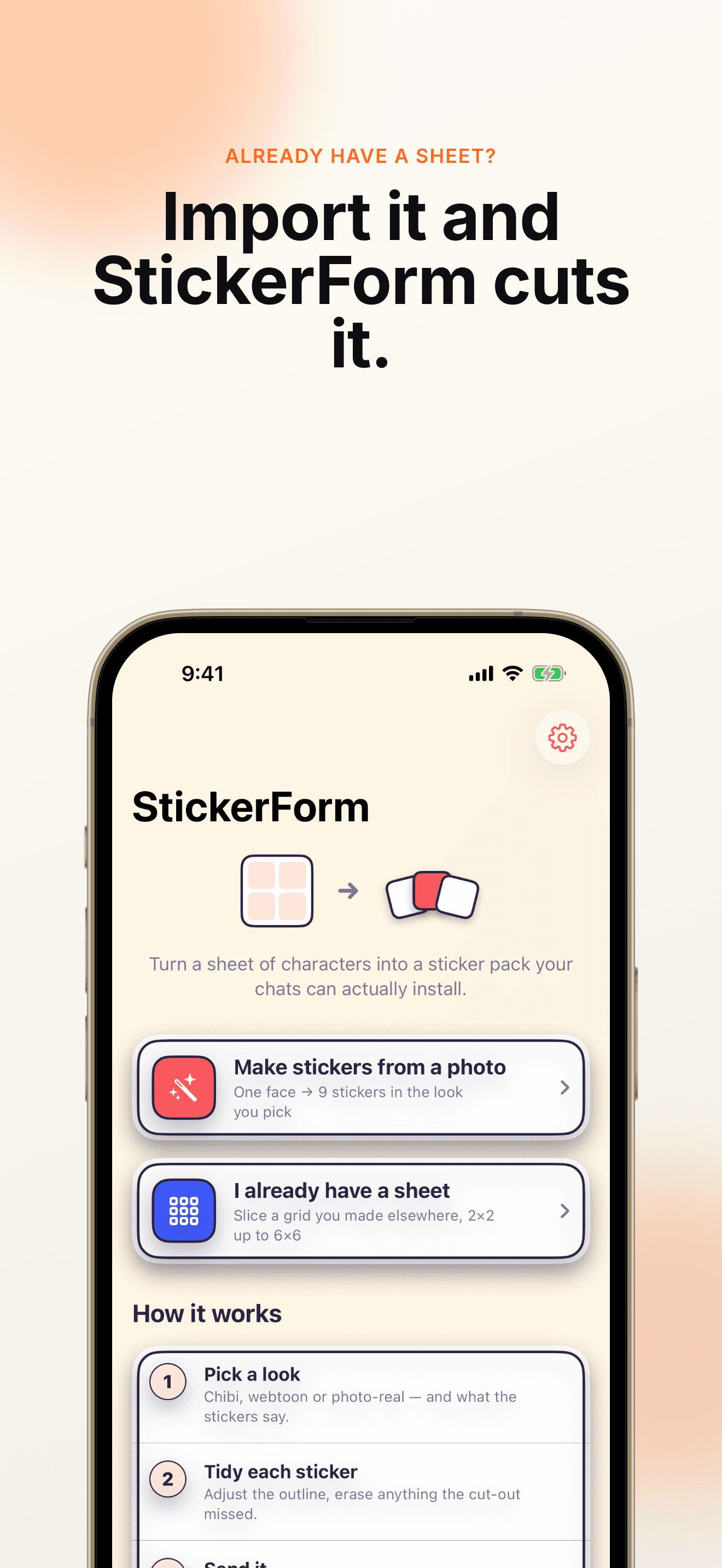
Bring your own sheet
Import a sheet you made elsewhere and StickerForm finds the grid, cuts it up and removes the background. Nothing is uploaded when you do.
Straight into your chats
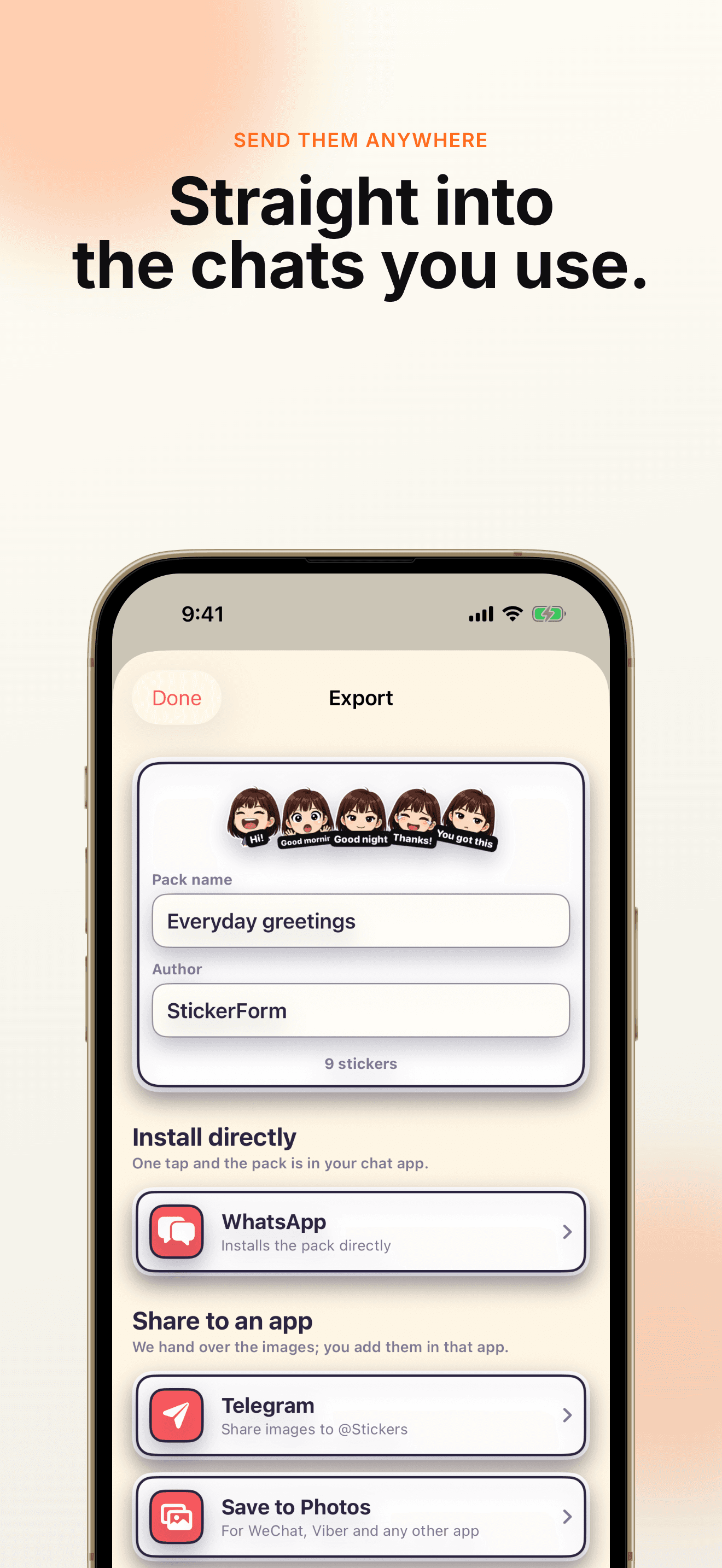
Install the pack into WhatsApp in one tap, share to Telegram, save to your gallery for WeChat and Viber, or export submission assets for LINE and Kakao.
How It Works
Pick a photo
One clear, front-facing face works best. Every sticker keeps that face — only the expression changes.
Pick a look and a pack
Chibi, webtoon or photo-real. Then pick the situation the stickers are about.
Cut the sheet up
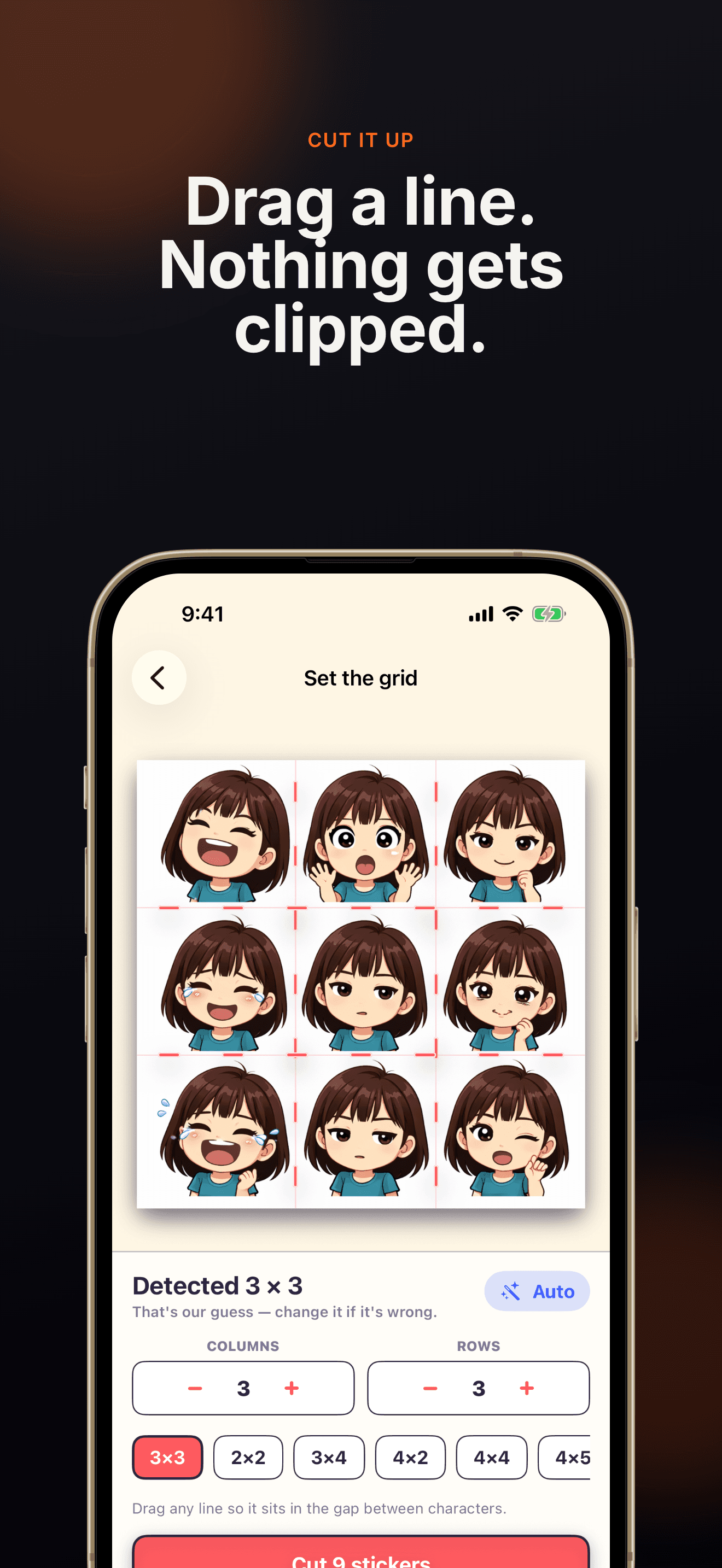
The grid is measured from the sheet itself. Drag any divider if it guessed wrong, then cut.
Tidy and caption
Erase anything the cut-out missed, adjust the outline, and type the words you actually say.
Send it
Install into WhatsApp, share to Telegram, save to your gallery, or export a folder for LINE Creators and Kakao.
Where The Stickers Go
- WhatsApp — the pack installs directly. WhatsApp must be installed, and a pack needs at least three stickers.
- Telegram — share the stickers over and add them through @Stickers.
- WeChat, Viber and others — save to your gallery and add them from inside that app.
- LINE Creators and Kakao — these review submissions themselves. StickerForm exports a folder in the shape they ask for, and shows their set-size rules before you export.
Privacy
Drawing a sheet is the only thing that leaves your device. The single photo you pick is sent over an encrypted connection to a third-party AI image service, purely to draw that one sheet — it is not stored afterwards and is never used to train models.
Everything else runs on your phone: slicing, background removal, editing, captions and exporting. Import your own sheet instead and no photo is uploaded at all. StickerForm needs no account, shows no ads, and does not track you across other apps.